

Contracts & billing
Bring service records and billing together.
From the quote to the paid invoice: price lists, contracts, click billing from meter readings, invoices, credit notes and payments, with Xero kept in step.
Quote first, when the work needs it.
Send a quote with its validity; the customer approves it by link. Quotes keep their versions, open quotes get automatic reminders, and an accepted quote can be the approval a job above the client’s cost limit needs.
Maintain parts and fixed-price services.
Keep your catalogue of parts, consumables and services with their costs. Link a fixed-price service to a job type, so a delivery or an installation brings its charge onto the job automatically.
For client companies you work for, set the call-out, what it includes, the hourly rate and how travel is charged. Each job keeps the rates from when it was logged.
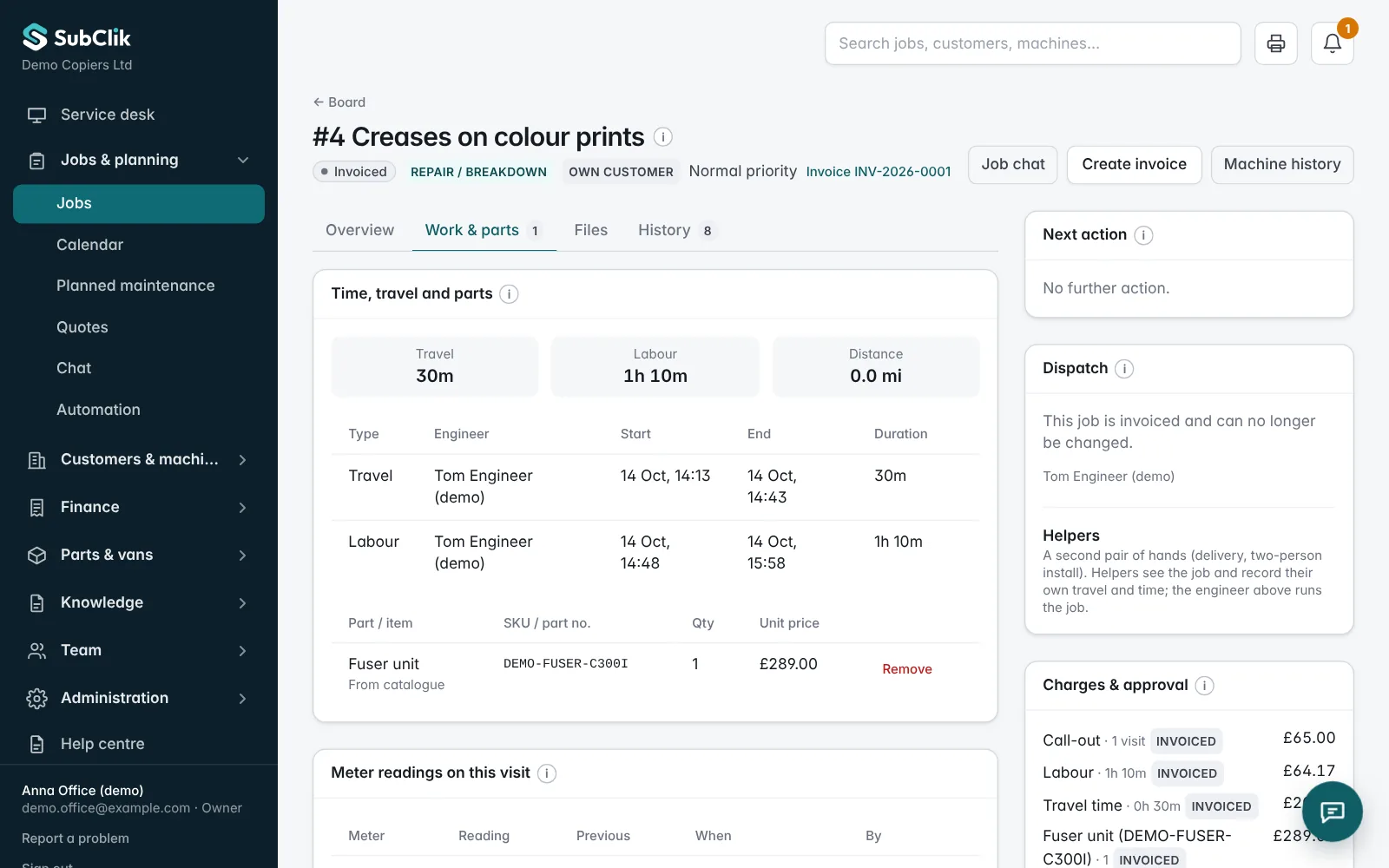
Review the charges behind a job.
Check recorded labour, parts and service charges before preparing an invoice. A job above the client’s cost limit needs their approval first, for example an accepted quote.
Copier contracts and click billing.
Configure contract rates, included copies and what a contract covers: call-out, labour, travel or parts. The billing run uses the machine’s meter readings, including those sent every day by the SubClik Agent. Readings that look wrong are held for checking first, and you review the calculations and any warnings before finalising the run.
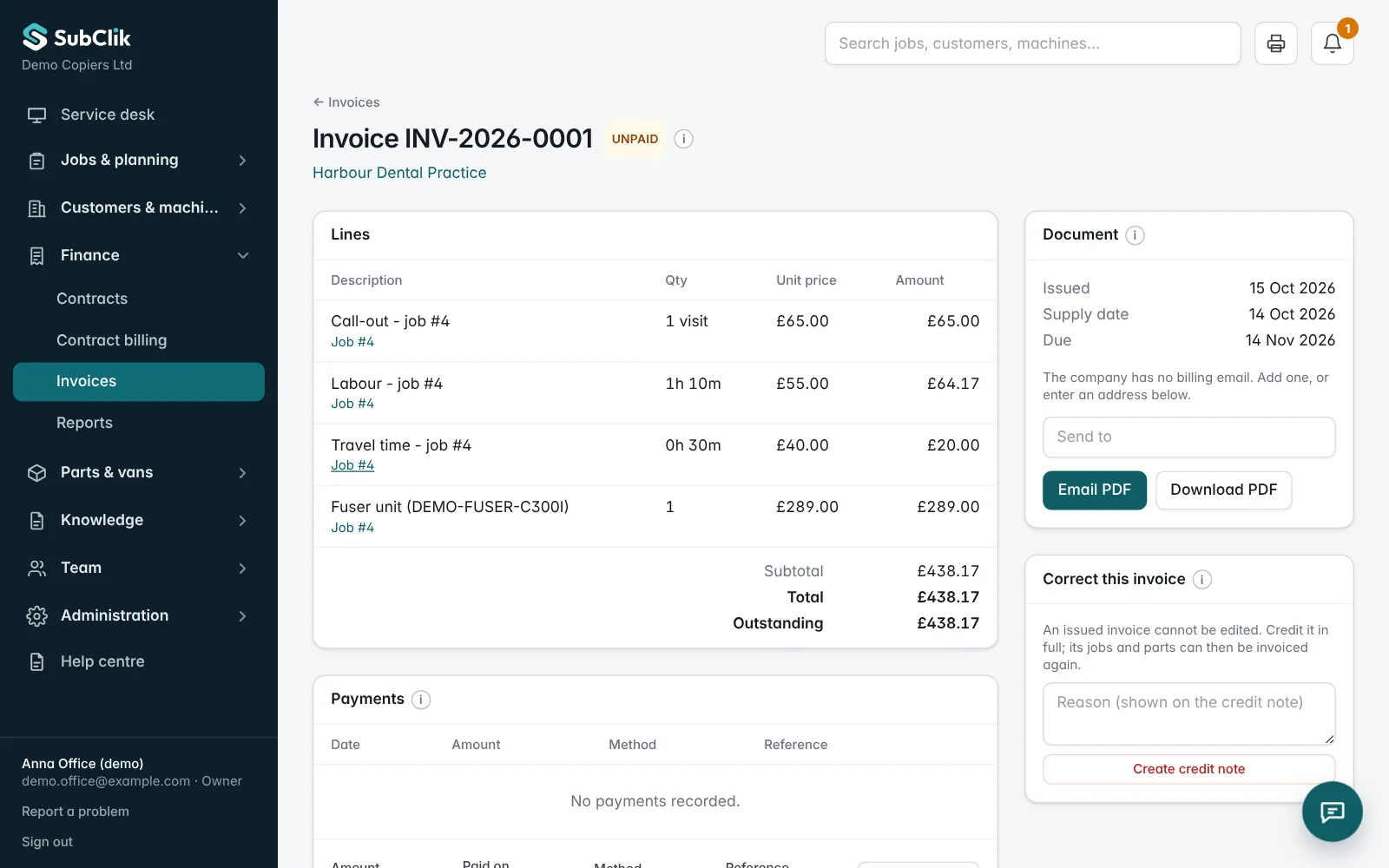
Invoices, credit notes and payments.
Issue invoices from jobs and billing runs, with a PDF to send. Issued invoices are corrected with a credit note, never edited. Record payments, see what is paid, due and overdue, and let automatic reminders chase unpaid invoices.
Customers can see their own invoices and what is still due in the customer portal.
Sent to Xero by themselves.
Connect Xero in a few clicks. Each invoice and credit note goes to Xero when it is issued, with the customer matched or added and VAT on each line. A payment recorded in Xero marks the invoice paid in SubClik, so your overdue list stays right. See integrations.
Discuss your currency and billing requirements with us during the demo.
Questions
Can we use fixed-price services?
Does it integrate with our accounting software?
Can click billing use automatic meter readings?

See it with your own jobs and machines.
We’ll walk you through the office portal and engineer workspace and discuss how your team works today.