
Office team
Log calls, assign engineers and follow each job from booking to review.
Explore the service desk →
Photocopier service management software
SubClik brings service jobs, engineers, your customers’ printers and billing together. Printers report their own faults and meters, jobs open before the customer calls, invoices go to Xero or QuickBooks, and Direct Debit collects them.
A web-based workspace for photocopier service teams. Manage incoming jobs, coordinate engineers and keep a clear record of every repair.
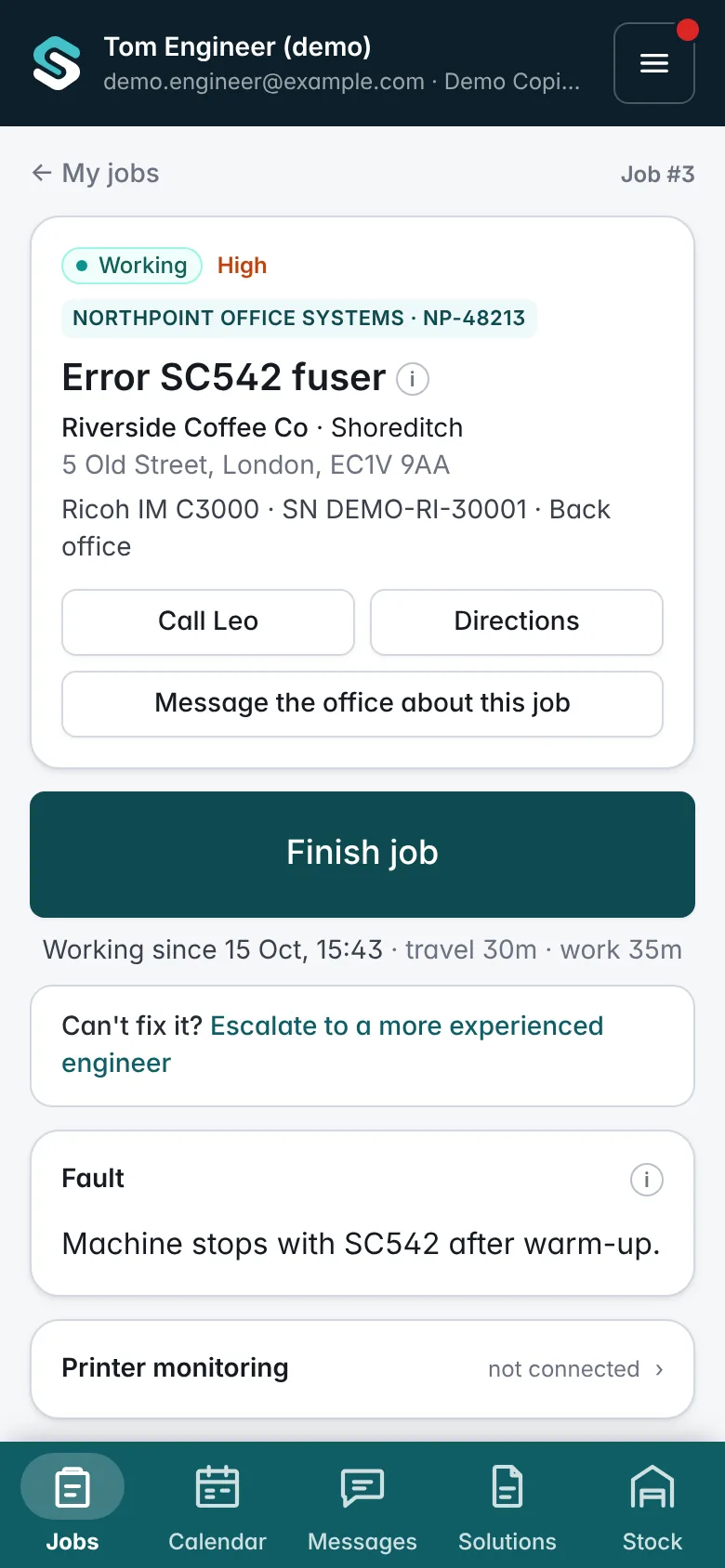
Real screens from the software, with a demo firm’s data: the office service desk and the engineer’s phone.
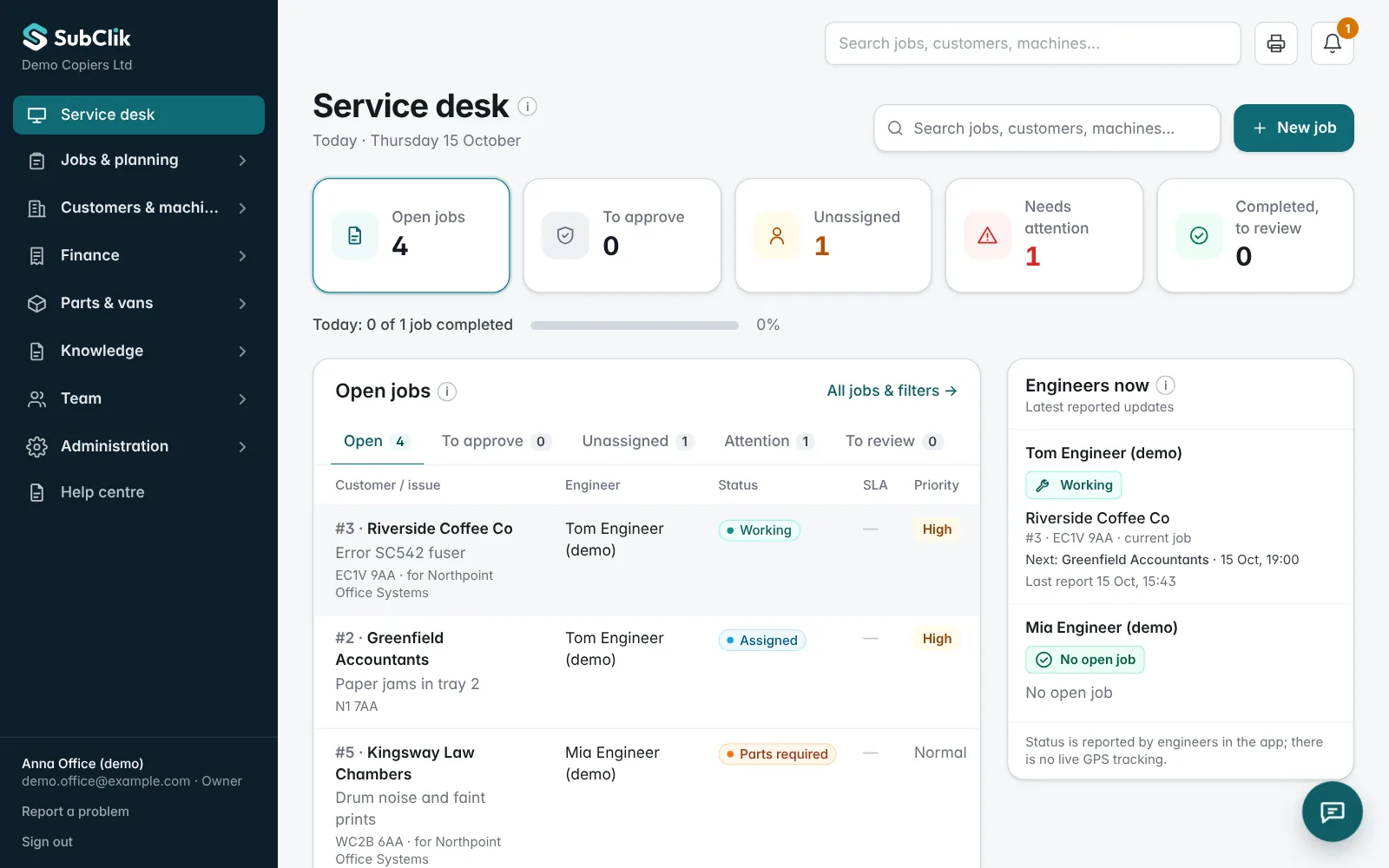
Log calls, assign engineers and follow each job from booking to review.
Explore the service desk →
See assigned jobs on a phone and record the work, time, parts and meter readings.
Explore the engineer workspace →Log faults, assign engineers and follow each job’s recorded status, from the first call to office review.
Explore the service desk →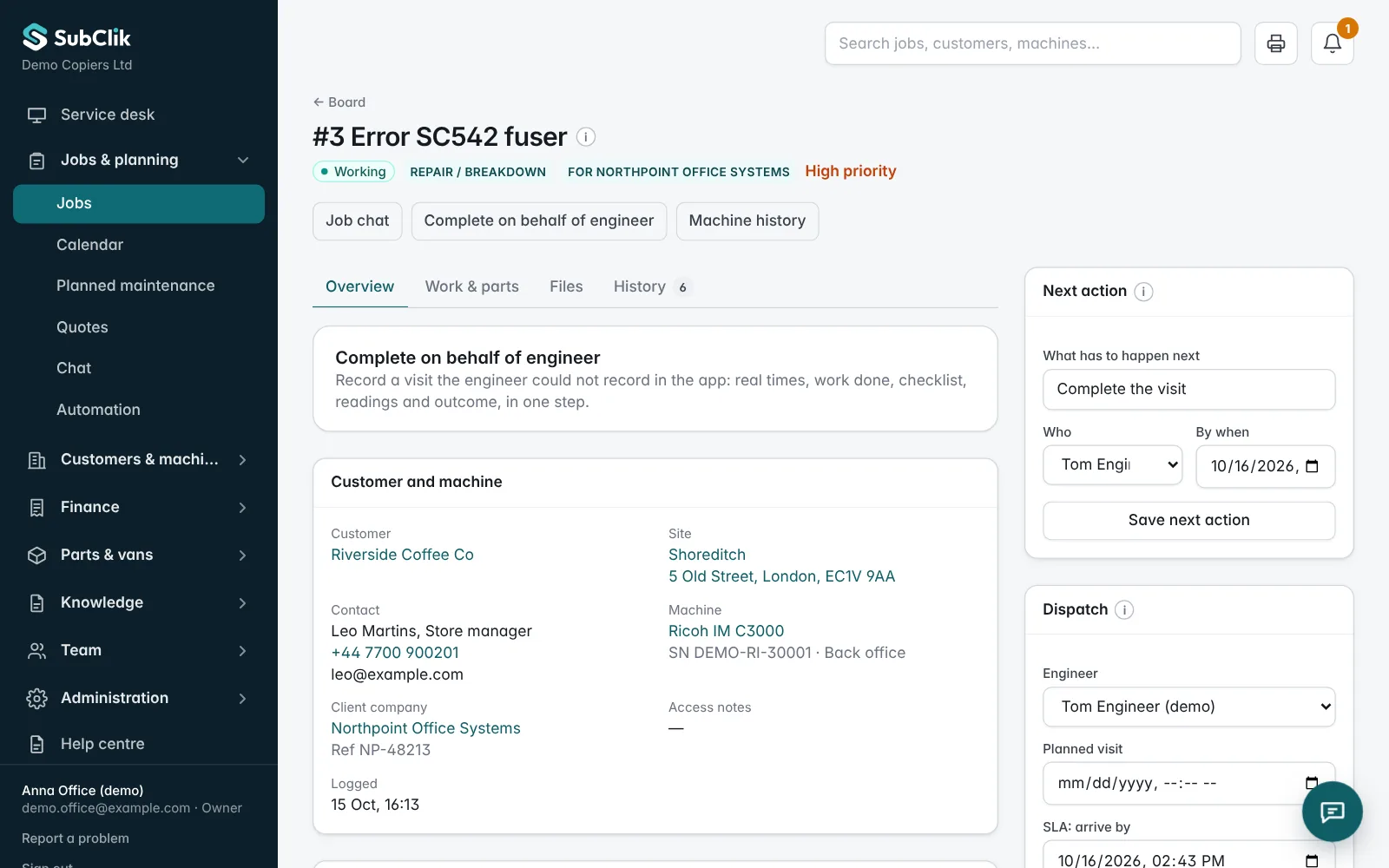
Engineers open assigned jobs on a phone and record work, time, parts, meter readings and the customer sign-off.
Explore the engineer workspace →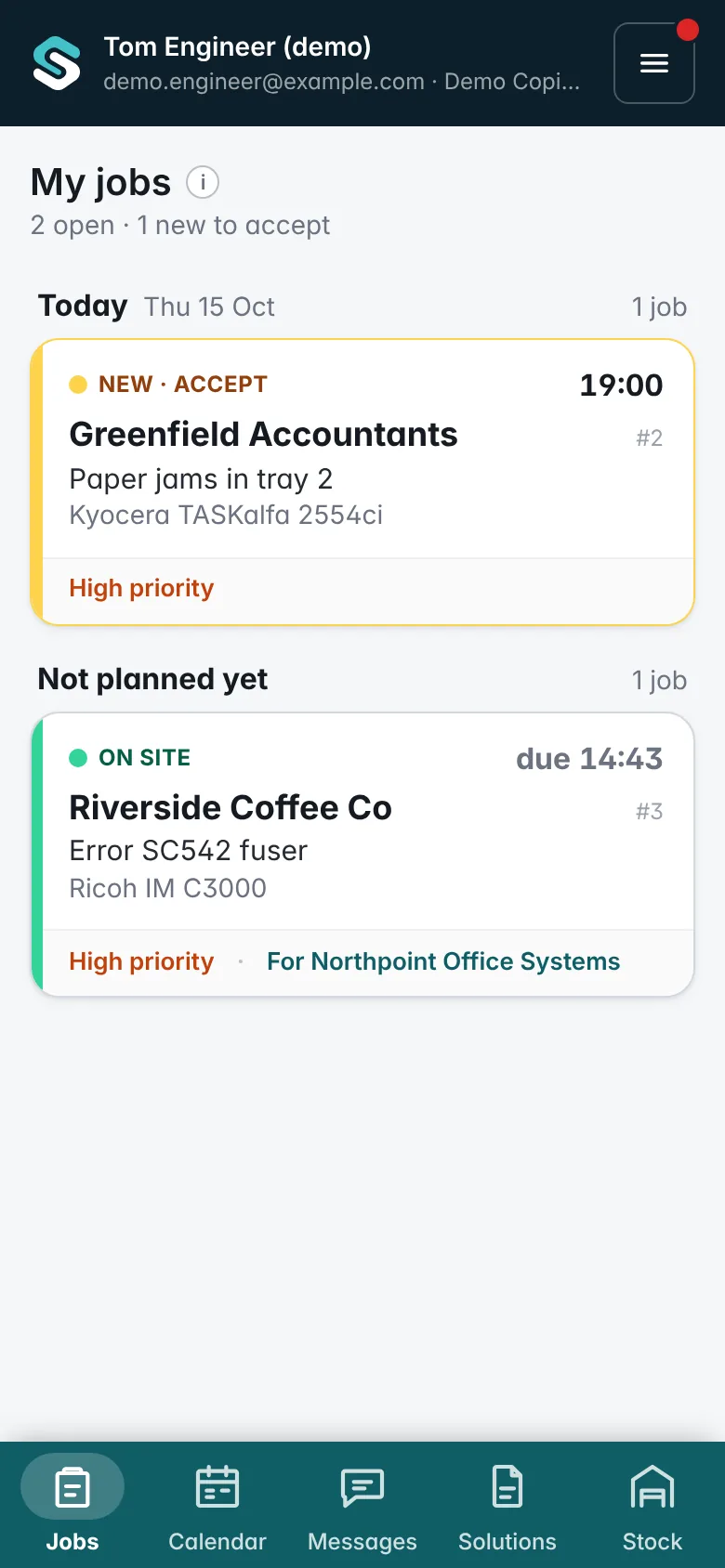
Keep customer sites, device details, meter readings and previous visits together on each machine.
Explore machine service history →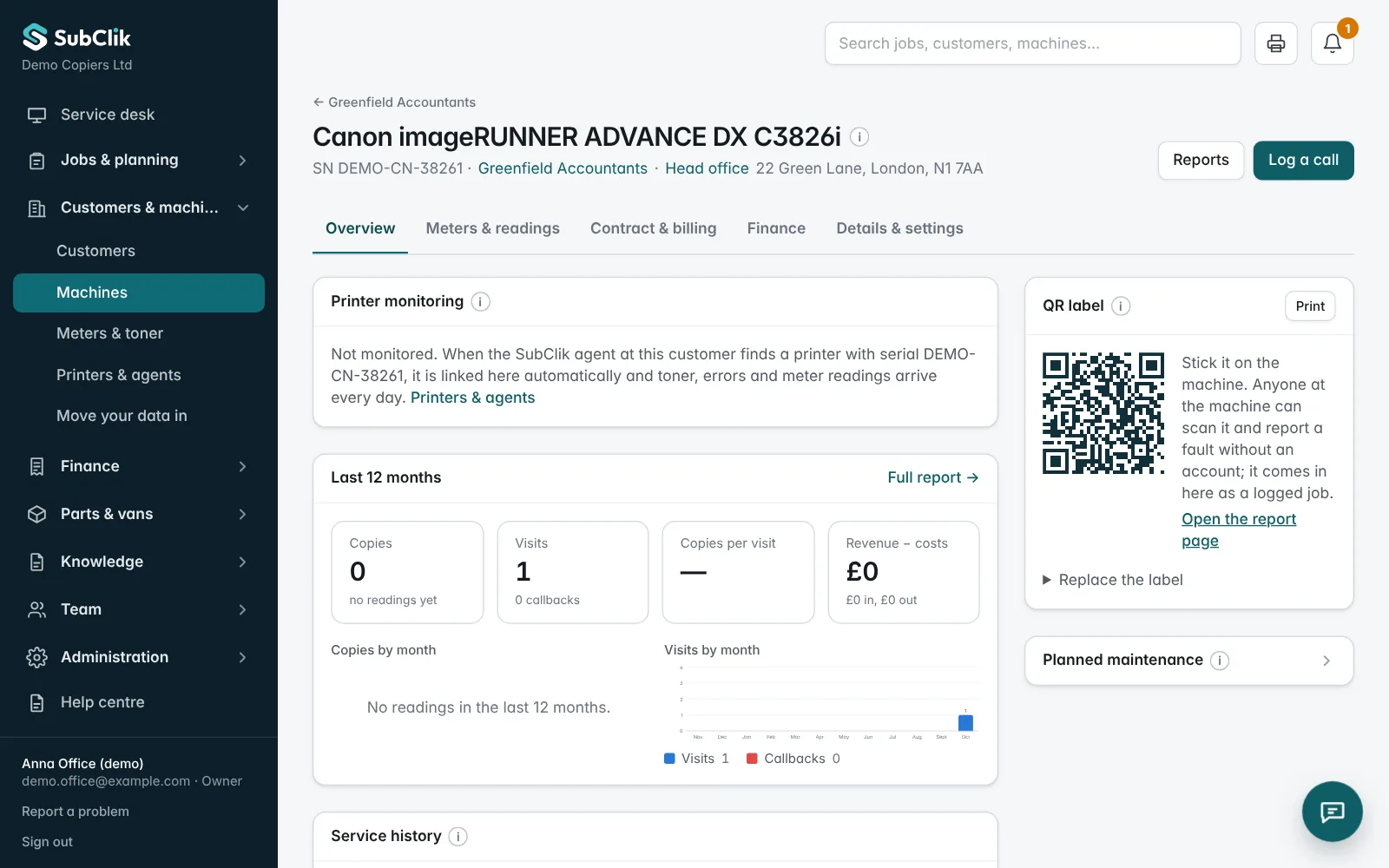
Bring service prices, contract rates and recorded work into the billing process.
Explore contracts and billing →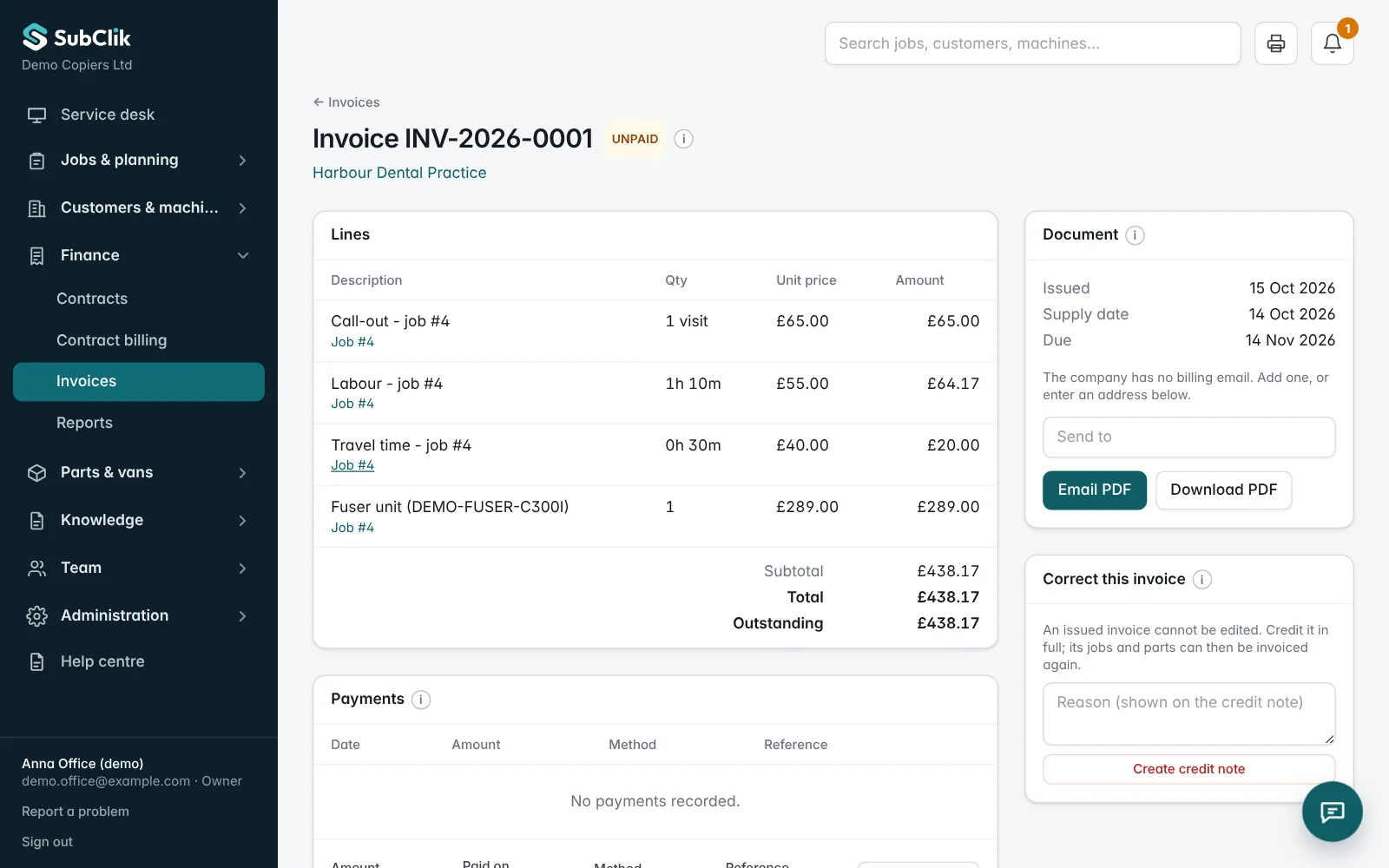
The SubClik Agent watches every printer at your customer’s site. When a copier jams, shows a service code or runs low, you know within a minute, and SubClik can open the job for you.
Printer reports SC542
Ricoh IM C3000 · Canary Bank, 3rd floor
Job #2431 opened automatically
Priority high · given to Aisha, from your rule
Earlier fixes for SC542 attached
2 jobs in your firm fixed this code before
Aisha accepts on her phone
The customer has not called yet
Never two open jobs for the same machine.
Give each customer a sign-in to see their machines live, the service call in progress and their invoices, and to report a fault or order toner.
Invoices go to Xero or QuickBooks when they are issued, customers pay by Direct Debit or card, jobs appear in your engineers’ calendars, and printer problems and new jobs post to your team chat.
3
machines
1
need attention
1
open service call
Ricoh IM C3000 · 3rd floor
Meter 182,406 · today
Canon iR-ADV C5535 · Reception
Meter 251,877 · today
Kyocera ECOSYS P3150dn · Post room
Meter 41,920 · today
Take a call or a fault report from the portal or QR label, or let the printer open the job itself.
Allocate the right engineer and plan the visit on the shared calendar.
Work, time, parts, meter readings and the customer’s signature, on the phone.
Review, invoice and send to Xero or QuickBooks. Collect by Direct Debit or card; payments mark the invoice paid.
Configure your job types, checklists, parts and service prices. Keep your company details and working settings in one place.
Tell us about your office, engineers and current workflow. We’ll walk you through the software and discuss the right setup.