

Service desk & dispatch
A service desk for photocopier teams.
Keep incoming faults, engineer assignments and job progress in one office workspace. Faults arrive by phone, from the customer portal, from the QR label on the machine, or from the printer itself.
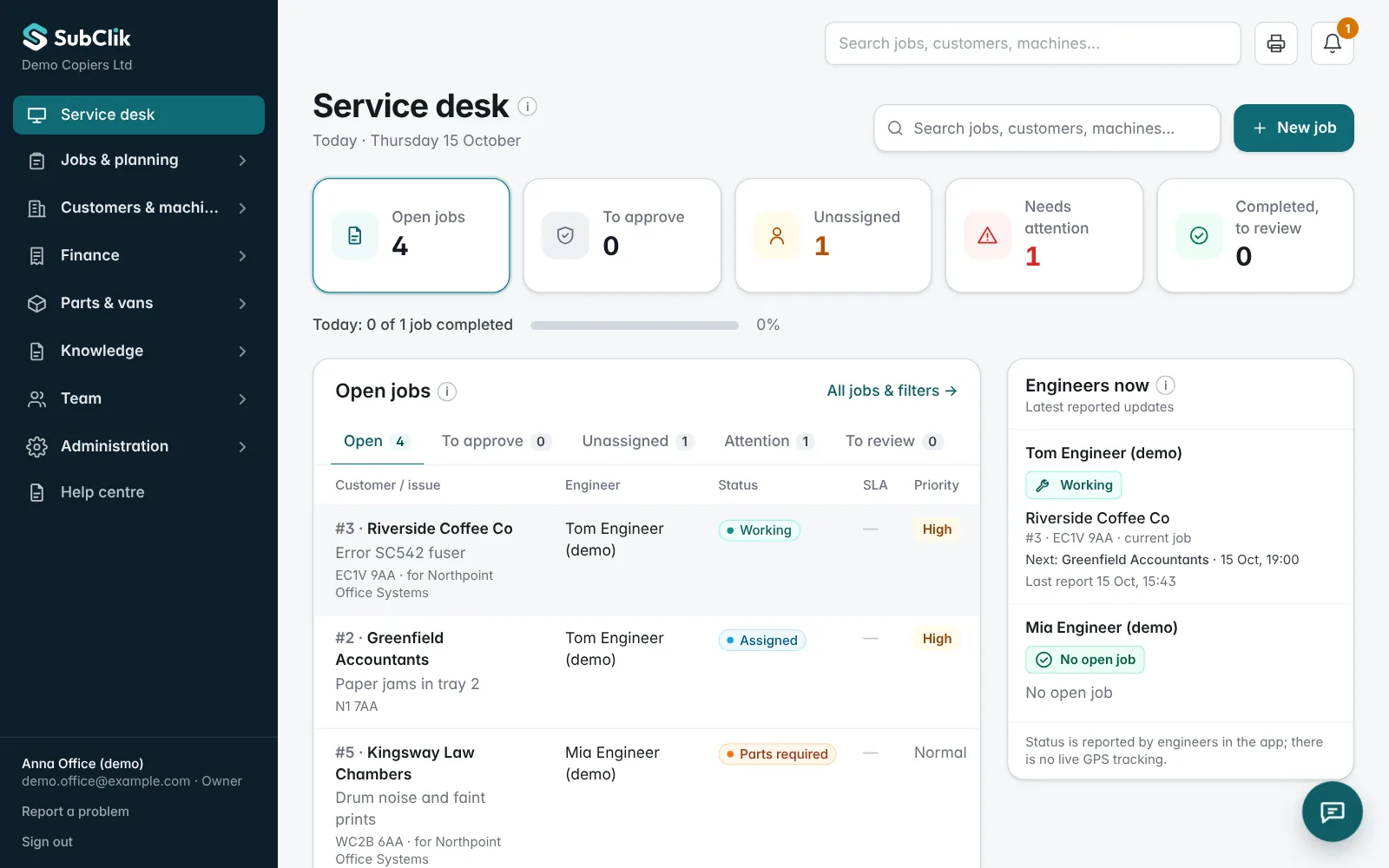
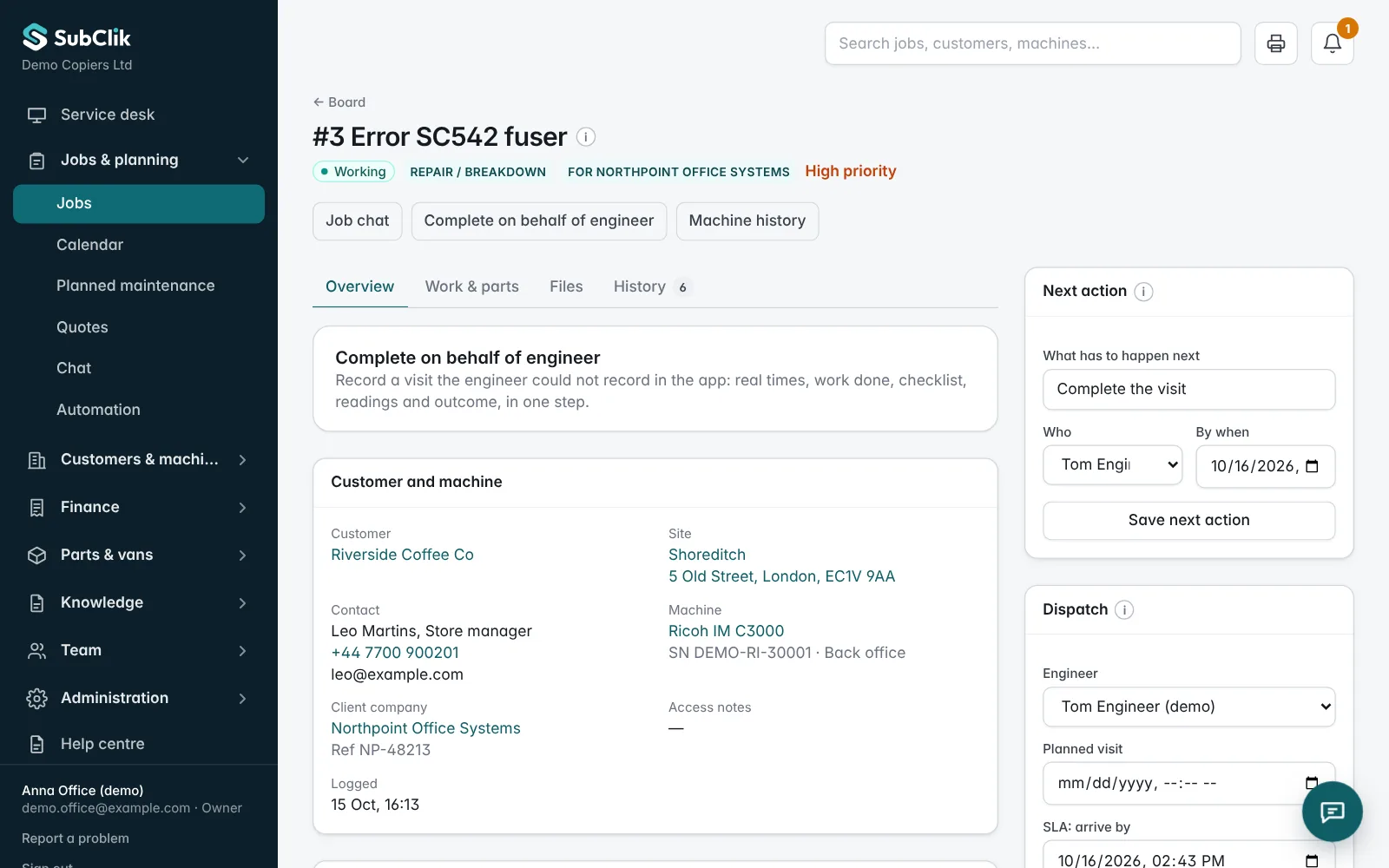
Log the call with the right details.
Capture the customer, site, machine and reported fault in the job record. Keep the information together so the engineer can see what needs attention.
Choose the job type, such as a repair, maintenance visit, installation or delivery, and the engineer’s checklist comes with it. Priorities and response times (accept by, arrive by, fix by) keep the urgent calls at the top.
Jobs that arrive on their own.
When a printer monitored by the SubClik Agent reports a service or error code, a memory error or repeated paper jams, a job can open by itself before the customer calls. It takes the priority and engineer from your rules, and there is never more than one open job for the same machine.
Customers can also report a fault from the customer portal or by scanning the QR label on the machine. Every route ends up on the same service desk. More about automation.
- 07:42
Printer reports SC542
Ricoh IM C3000 · Canary Bank, 3rd floor
- 07:43
Job #2431 opened automatically
Priority high · given to Aisha, from your rule
- 07:43
Earlier fixes for SC542 attached
2 jobs in your firm fixed this code before
- 08:05
Aisha accepts on her phone
The customer has not called yet
Never two open jobs for the same machine.
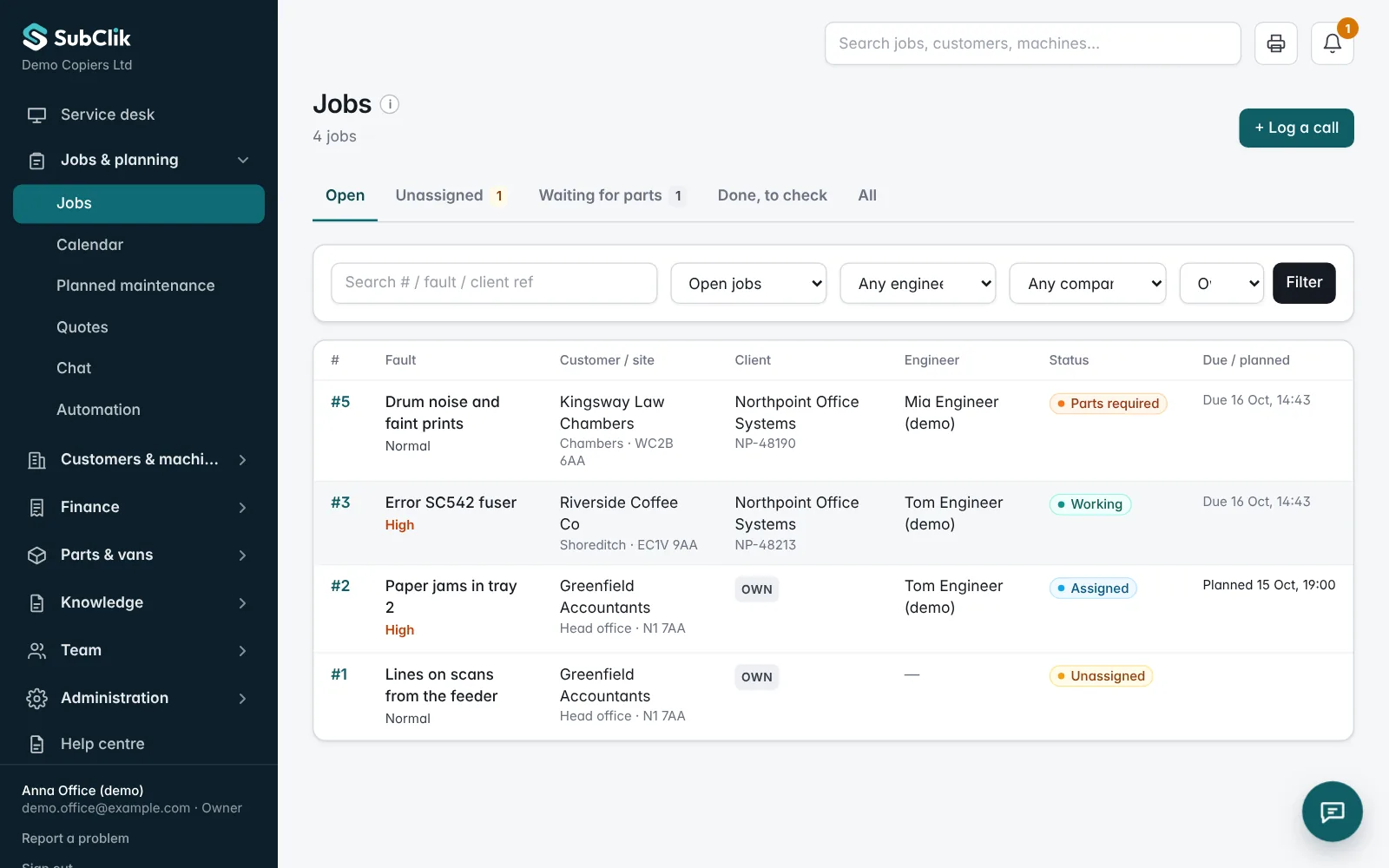
Assign work and follow recorded progress.
Allocate the job to an engineer and review its status as the visit moves forward: accepted, travelling, on site, working, completed.
Keep attention on work that still needs action, including unassigned calls, jobs waiting for parts and visits waiting for office review.
Review the visit before billing.
Check the engineer’s report, recorded time, parts and readings. Office staff can correct times with a reason, or record a visit on behalf of an engineer who could not use the app. Each change is kept in an audit log with who made it.
Callbacks, a return visit for the same fault shortly after the last one, are linked to the earlier job and are not charged unless you give a reason.
Example: a repeated paper jam
- Step 1
The customer reports jams from tray 2. The office logs the call against the right machine.
- Step 2
The job is assigned to an engineer, who sees it in the list of assigned jobs.
- Step 3
The engineer travels, arrives and works; each step is recorded with its time.
- Step 4
The completed visit waits for office review before the charges are prepared.
Questions
Can office staff review completed work?
Can we configure different job types?
Can jobs be opened without anyone typing them?
Can the office record a visit for an engineer?

See it with your own jobs and machines.
We’ll walk you through the office portal and engineer workspace and discuss how your team works today.