

SubClik Print for education
Print management for schools, colleges and universities.
Stop paying for printing nobody collects. Keep pupil documents out of the output tray. Keep lessons going when a copier jams. One system for every copier brand in the school or the trust.
- Nursery to university
- Microsoft 365 and Google Workspace
- Chromebooks included
- UK hosted
Signed in with card
S. Hughes
412 pages left this month
- Year 9 forces worksheet.pdf12 pages · 30 copies · mono · double-sided
- Parents evening letter.pdf1 page · colour
- Lab risk assessment.pdf4 pages · mono
Where a school’s printing budget goes, and how to keep it.
Most schools pay per printed side on their copier contract, plus paper. SubClik Print cuts the pages nobody needed without getting in the way of teaching.
Nothing prints until someone is standing there
Jobs wait on the school’s own server until the person signs in at a machine. Forgotten jobs, duplicates sent “in case” and the worksheet printed to the wrong building are deleted after a set time instead of being paid for.
Colour only where it is needed
Turn colour off for some people or departments, or let anyone switch a job to black and white on the release screen. Exams, letters home and display work keep their colour; worksheets don’t.
Double-sided by default
Make double-sided the rule for staff who print long documents. It is applied by the server, so it works whatever the computer or driver says.
Monthly allowances that people can see
A page allowance per person, shown on the release screen and in their own portal. Anyone who runs out asks for more with a reason, and the office approves it in one click.
Who prints what, by department
Pages, colour and copies per person, department and machine, so the business manager can see where the budget goes and recharge departments if the school does that.
Fewer lost lessons when a copier jams
A jammed or empty machine never swallows the job. The screen offers the next machine and the documents follow, so a lesson’s worksheets still arrive on time.
A worked example.
A secondary school with 8 copiers, printing 900,000 black and white and 120,000 colour sides a year.
Assumptions: 0.5p a black and white side and 4.5p a colour side on the copier contract, 8% of pages never collected, a quarter of colour pages that did not need colour, 200,000 sheets saved by double-sided printing at 0.6p a sheet. This is an illustration, not a promise. Your own contract rates and habits decide the result, and the reports in the portal show your real figures after the first month.
| Uncollected pages no longer printed | £790 |
|---|---|
| Colour pages printed in black and white | £1100 |
| Paper saved by double-sided printing | £1200 |
| Saved in a year | £3090 |
| SubClik Print for 8 machines, a year (proposed price) | £432 |
Figures excluding VAT, rounded to £10. Try your own rates in the cost per copy calculator.
Made for every stage of education.
The same product from a nursery with one copier to a university campus. You only switch on what you need.
Nurseries and early years
One or two machines, a small staff team
- Staff sign in with a short PIN: no cards to buy or lose.
- Learning journals, accident forms and children’s records never sit in the tray.
- Scan observations and forms straight to a shared folder, OneDrive or Google Drive.
- Cloud set-up: a small program on the office PC, managed from the browser.
Primary schools
Staff printing, office and headteacher
- Allowances per teacher, with colour kept for the office and displays if you choose.
- Pupil reports and SEN paperwork are released only by the person who printed them.
- Staff come straight from Microsoft 365 or Google Workspace, no separate list.
- Scan to your own email from the copier’s normal scan button.
Secondary schools and academies
Staff and pupils, several copiers across the site
- Staff and pupils print to one secure queue and collect at whichever machine is nearest.
- Pupil allowances per month, with colour off by default and requests for more approved by staff.
- Exams officer scans go to a private folder; document names can be hidden from reports.
- Chromebooks, Windows and Macs print without a client program.
Multi-academy trusts
Several schools, one IT team
- One organisation with a site per school: the same card and PIN work in every school of the trust.
- One portal for the trust’s IT team, reports per school and department.
- Each school keeps printing if the internet goes down.
- Every copier brand, so schools with different contracts are no problem.
Sixth forms and FE colleges
Students, staff and several buildings
- Students release from their phone by scanning the QR code on the machine, no card needed.
- Allowances per student per month, with credit requests the learning resources team approves.
- Machines in every building, each with its nearby alternatives when one breaks down.
- People and departments kept in step with Microsoft Entra ID or Google Workspace.
Universities
Thousands of people across a campus
- People come from the directory and stay in step on their own every hour.
- Release at any machine on campus with a card, PIN, password or phone.
- Scan to OneDrive, SharePoint, Google Drive or Dropbox once the account is connected.
- Run on site in each building, or managed from the cloud with outbound HTTPS only.
What staff and pupils see.
Screenshots of SubClik Print itself, with demo data: the screen by the machine and the portal for the office and for each person.
At the machine
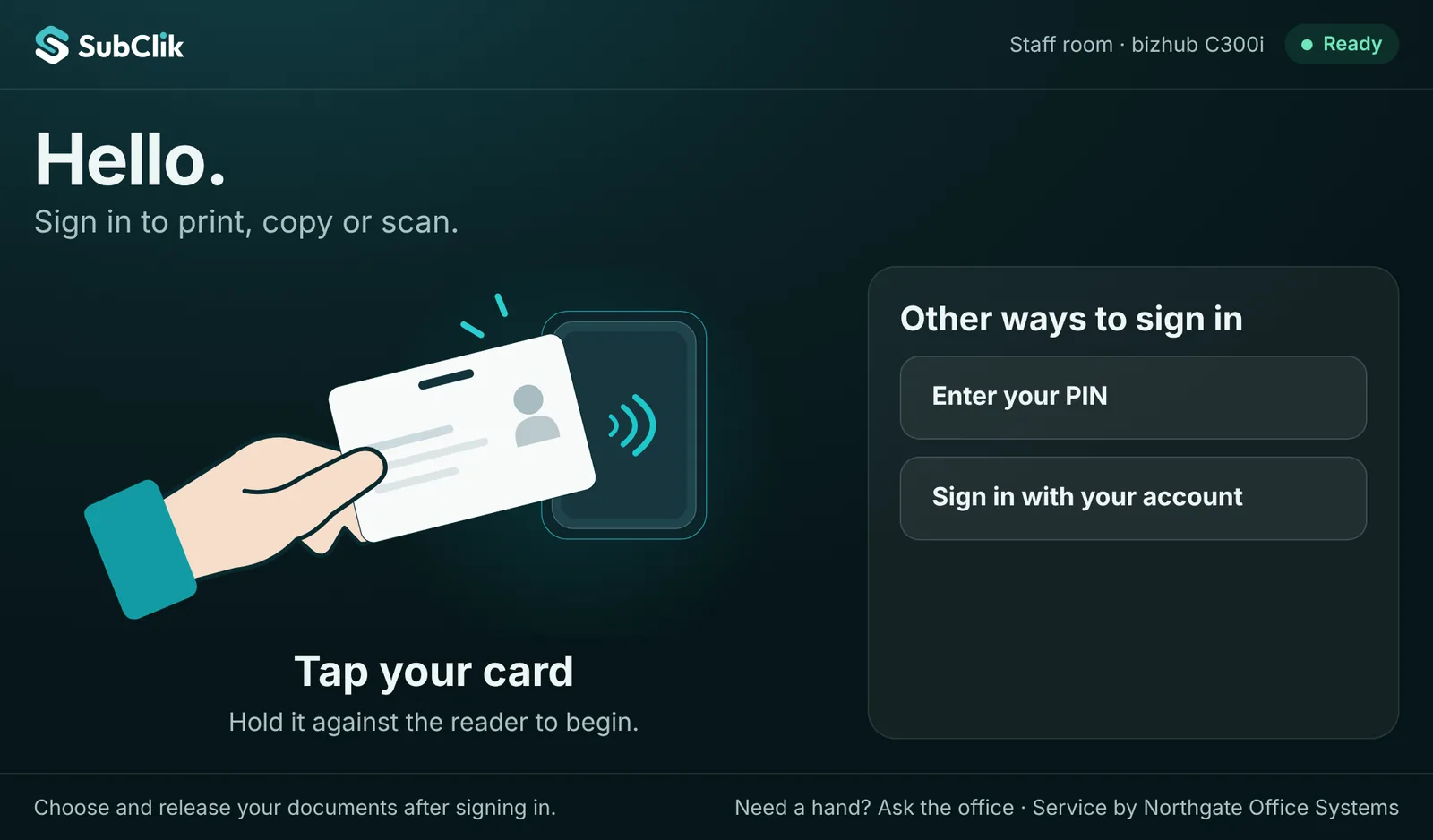
Sign in at the machine with a card, PIN or account 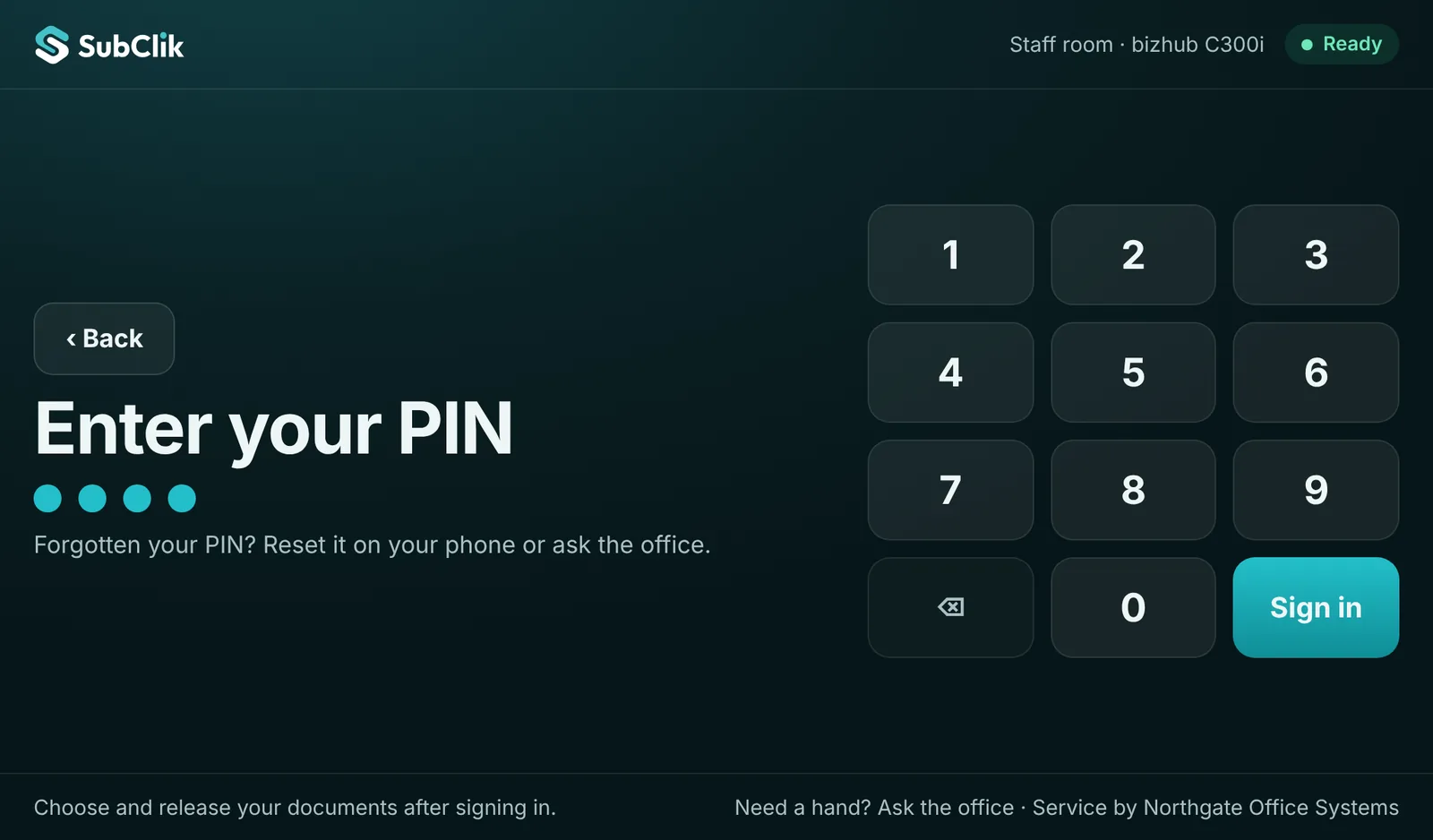
Large PIN keypad for the copier’s touch screen 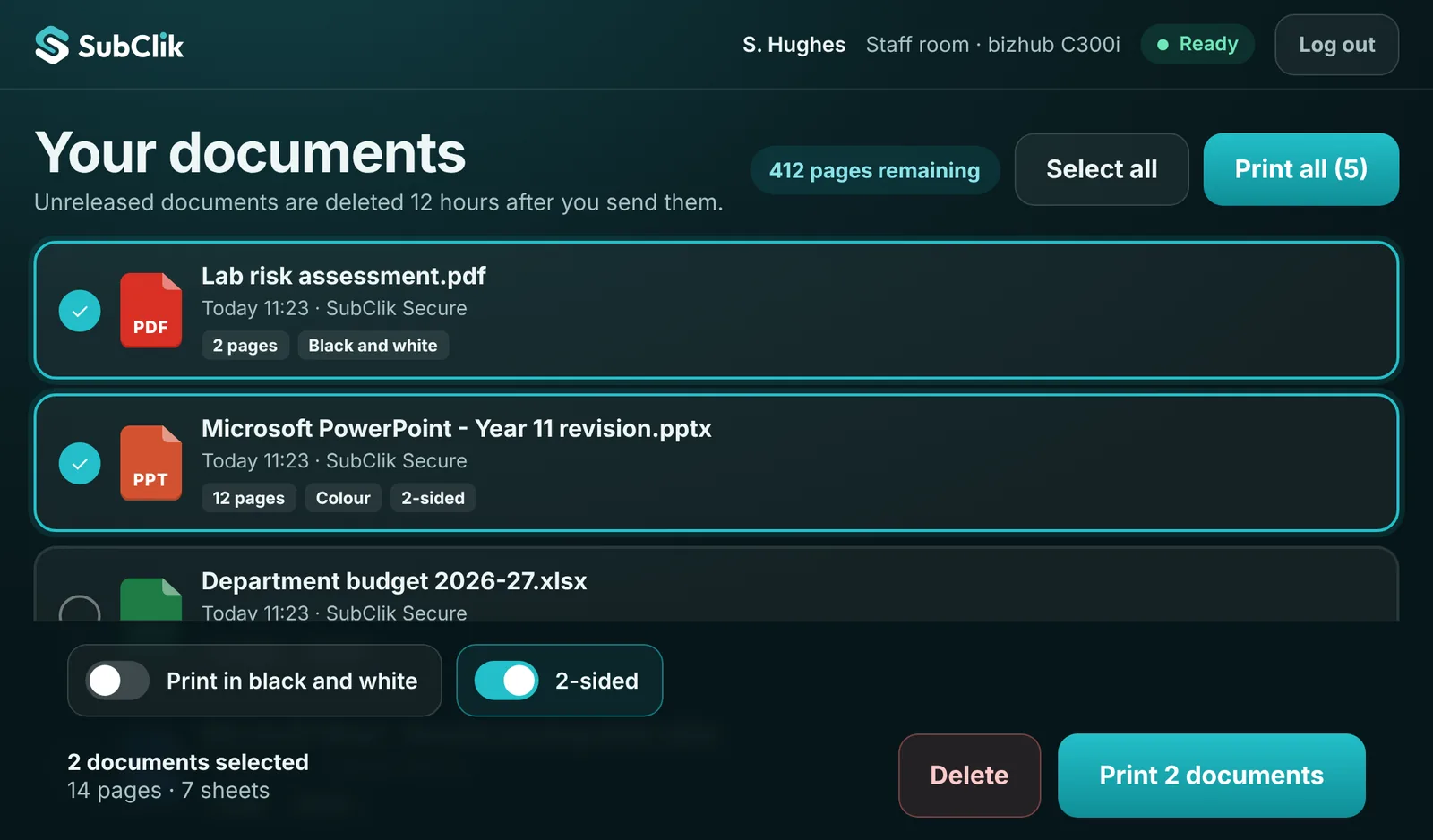
Choose documents, print in black and white or 2-sided, or print all 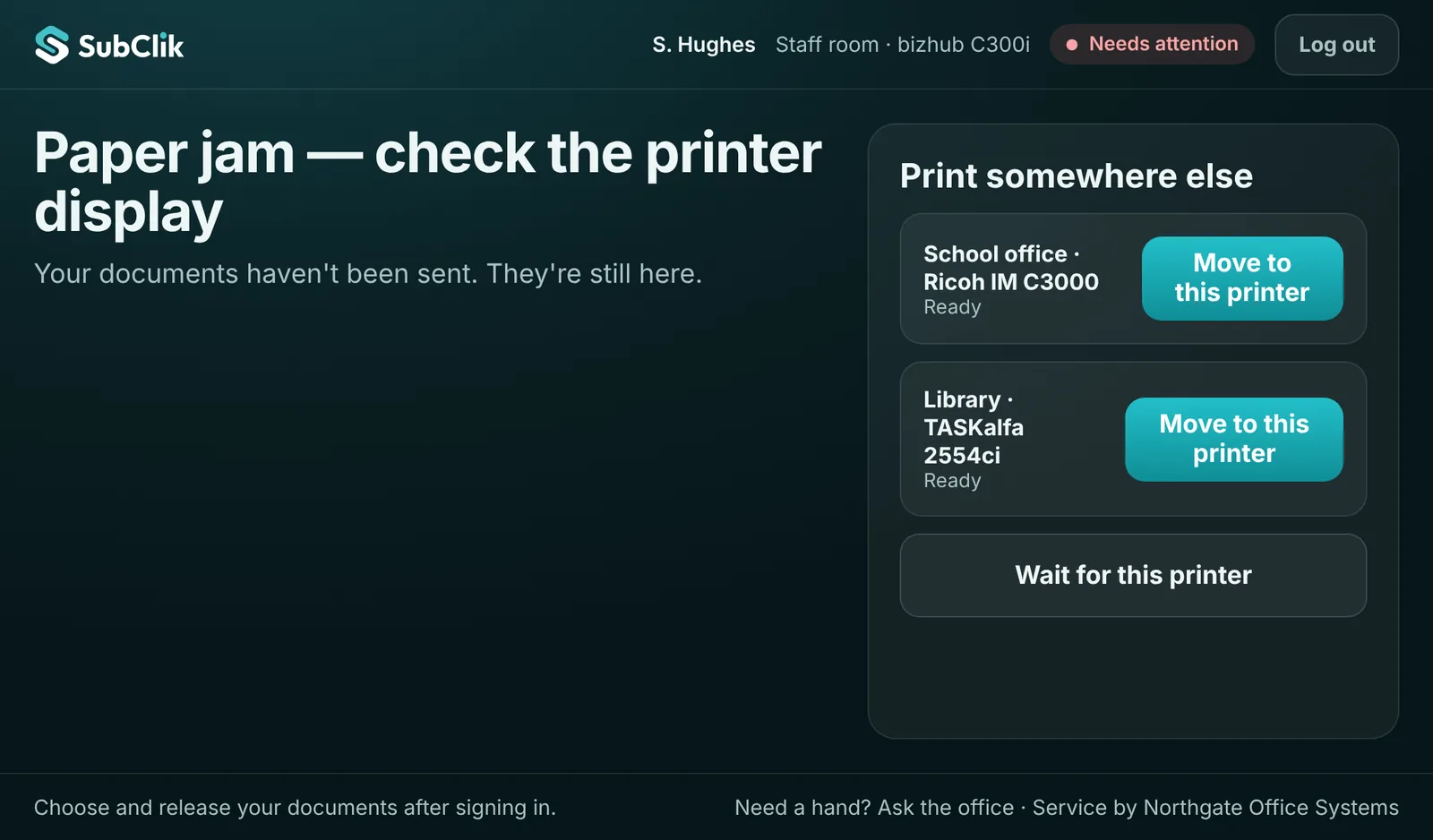
A machine jams: documents move to the next machine in one tap 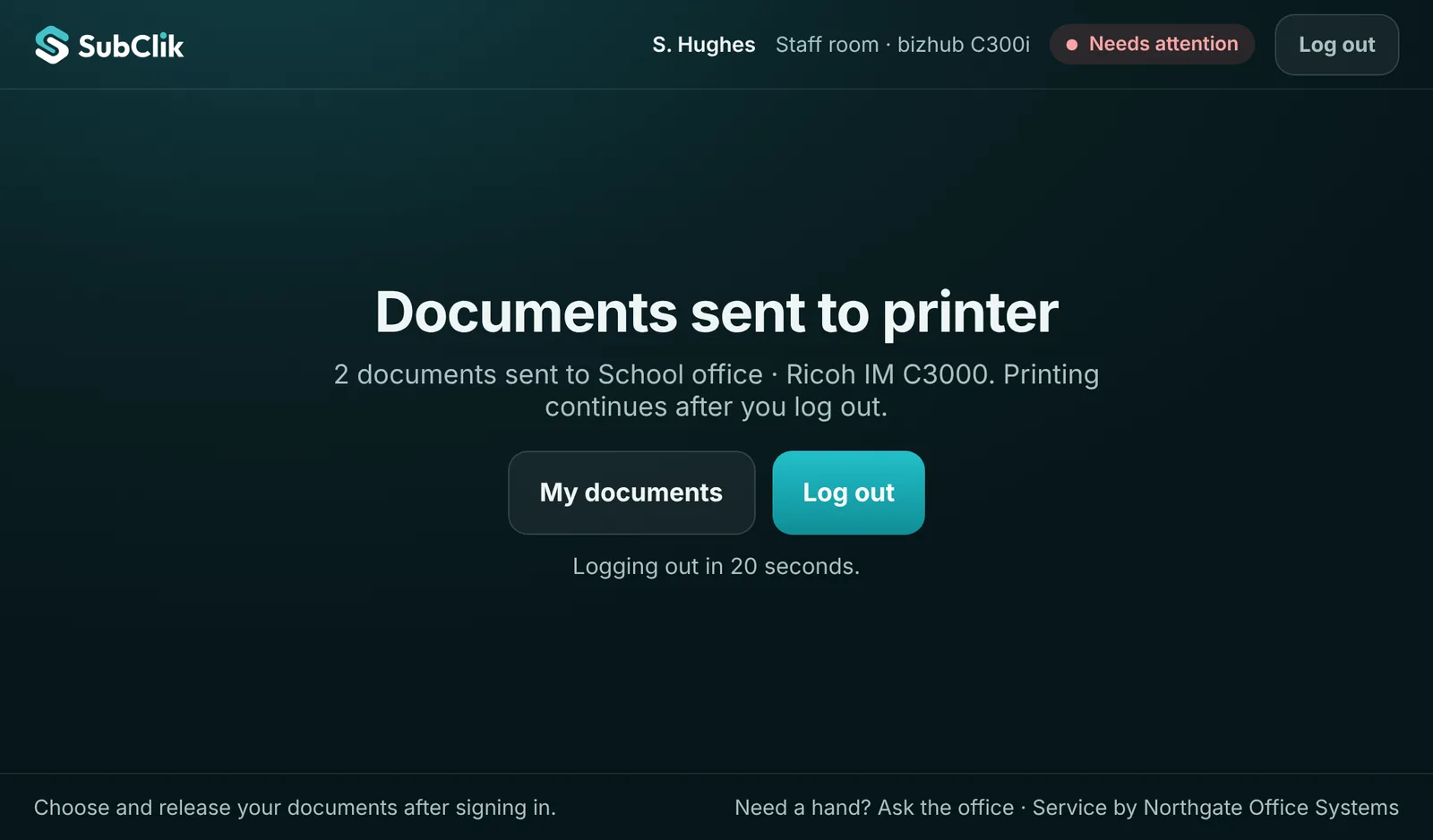
Sent, and signed out automatically
In the portal
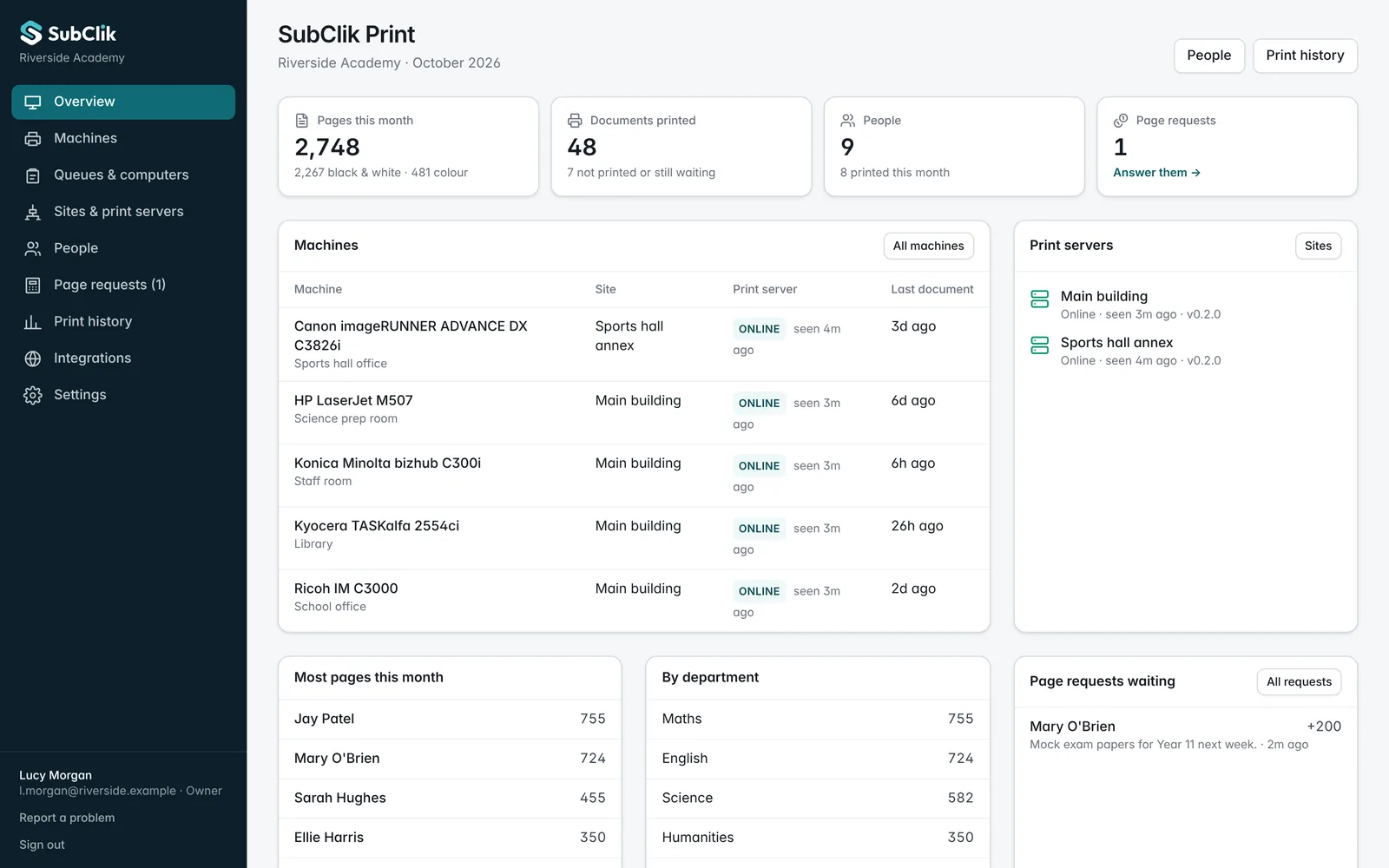
The office overview: pages, machines, print servers and requests 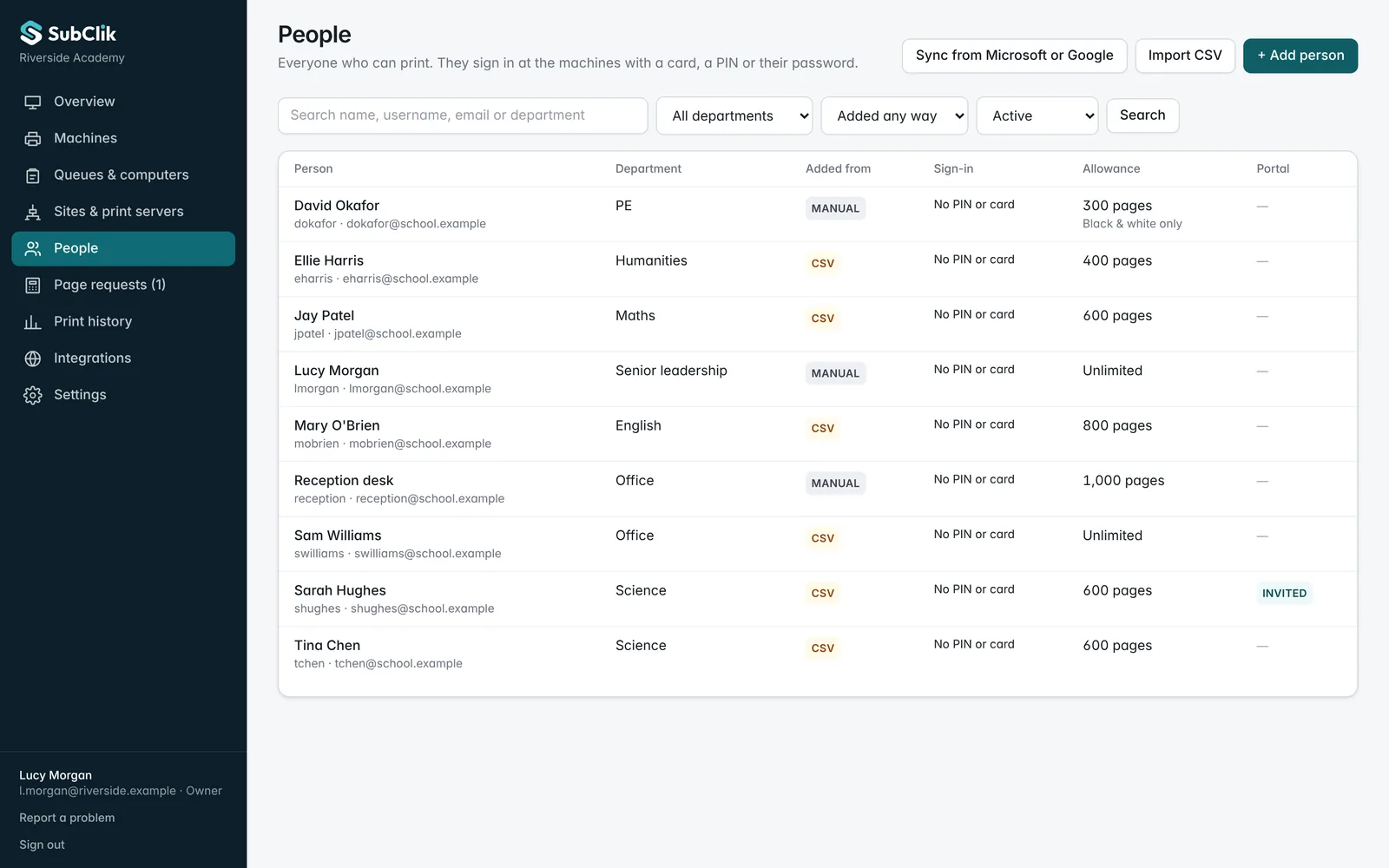
People from Microsoft 365, Google, a spreadsheet or added by hand, with allowances 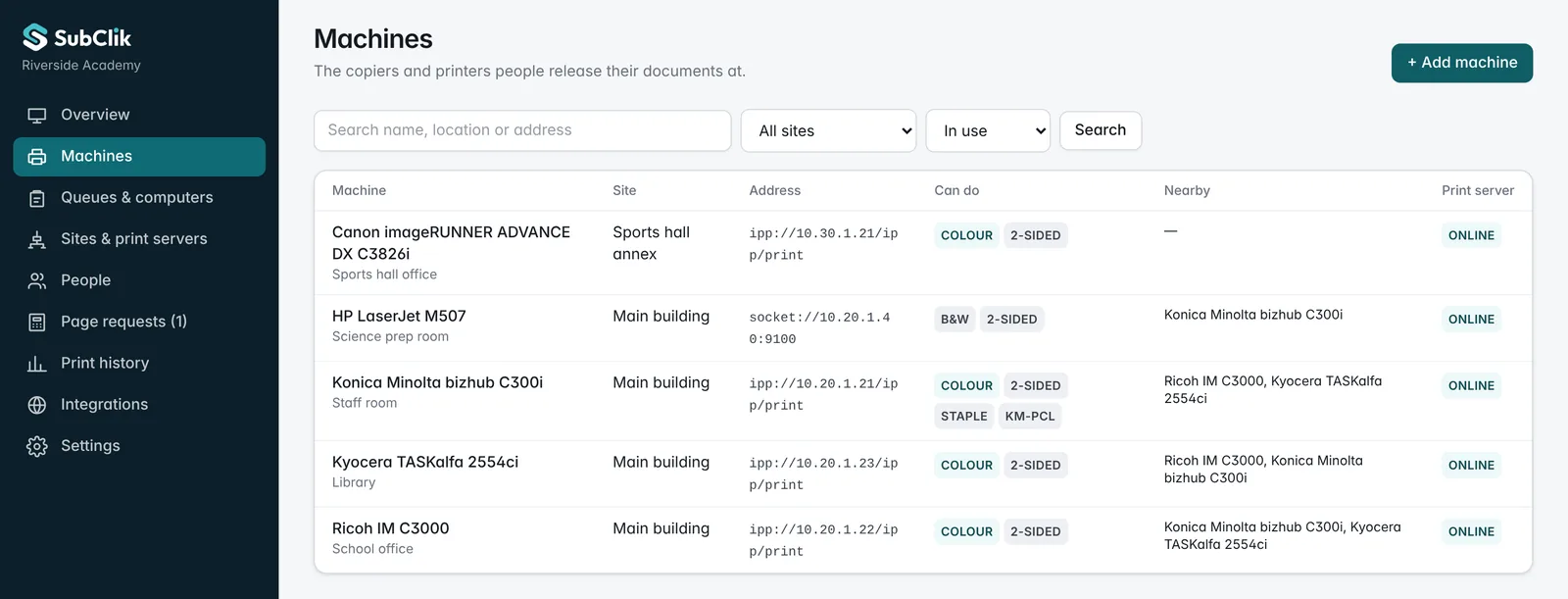
Every brand in one list, each with its nearby alternatives 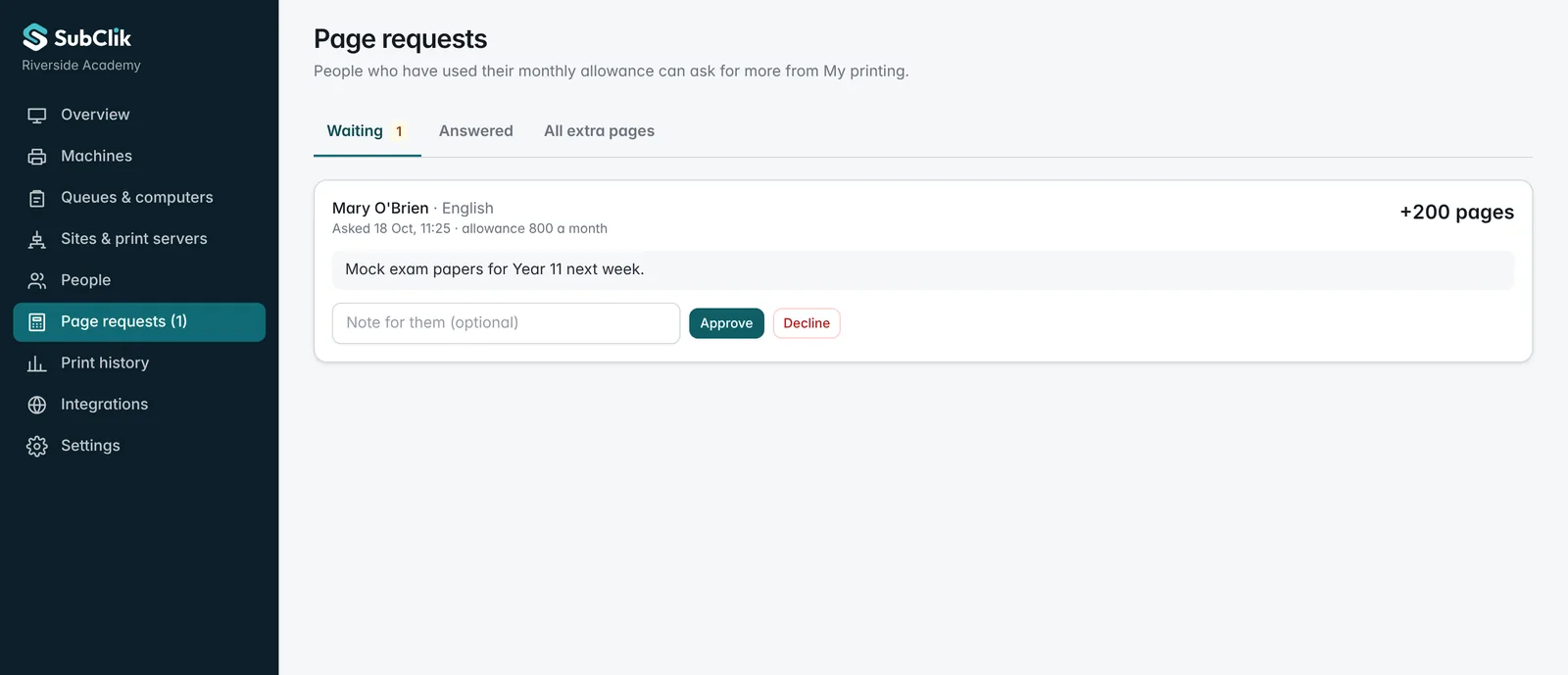
Requests for more pages, approved in one click 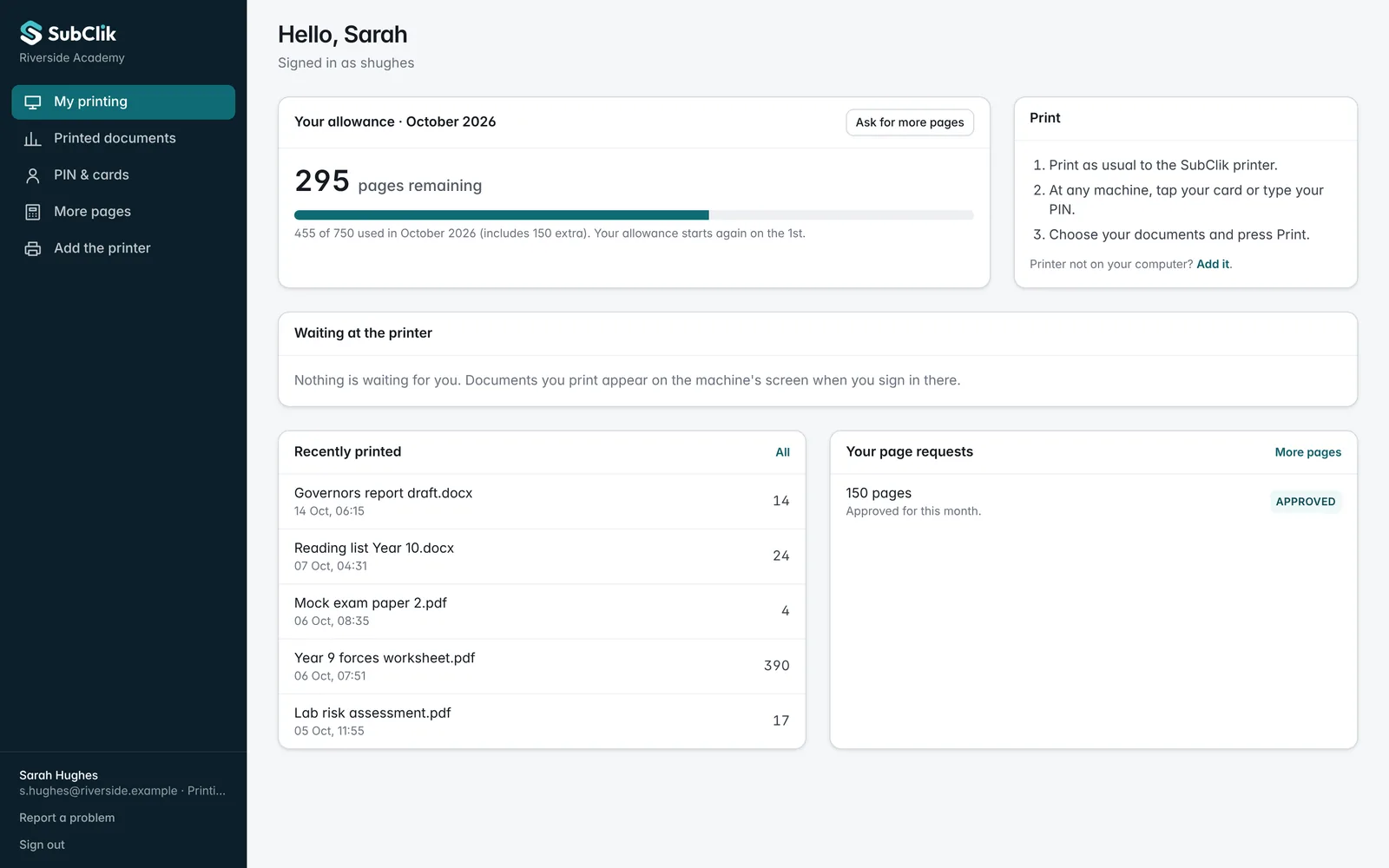
Each person’s own page: allowance, history and requests
Simple for the office, invisible to teachers.
Teachers print as they always have and collect at the machine. The office looks after allowances and requests from one page.
- Set up in an afternoon. Install the print server, enter a pairing code, add the queue to computers by Intune, Group Policy or Google Admin.
- No new accounts to manage. Staff and pupils come from Microsoft 365 or Google Workspace, or a spreadsheet for smaller schools.
- Each person has their own page. Their print history, what is left this month and a button to ask for more.
Credit request · Mary O’Brien · 200 pages
“Mock exam papers for Year 11 next week.”
Mary O’Brien · English
788 / 800
Sarah Hughes · Science
338 / 750
Jay Patel · Maths
212 / 600
Lucy Morgan · Senior leadership
940 / no limit
Questions
Do pupils and students need a card?
Does it work with Chromebooks?
Can students top up their print credit by card?
What about safeguarding and GDPR?
Will it work with our copier lease?
Can it stop people copying without signing in?
More on set-up in how it works, or see all features.

See it with a sample school.
Your own demo with a main building and a sports hall annex, five copiers, staff, allowances, a credit request and three weeks of printing. Free for 14 days, no card.